Apache and Nginx
Apache and Nginx are the two programs (called “web servers”) in charge of displaying your website to whoever visits it. In MaadiX, Apache is the default web server. Since version 202405, if the server has Nginx installed, you will also be able to choose it as the web server for any domain you manage from the control panel. Both can coexist without any problem: enabling one does not disable the other.
Which one should I choose?
Apache is the default option and works well for most websites. It also allows the use of .htaccess files, which can be edited via SFTP with the webmaster account, without needing console access.
Nginx does not come installed by default: it becomes available on the server if it has been explicitly installed from the Install applications page, or automatically as a dependency when installing an application that requires it, such as CryptPad, Mastodon or PeerTube. If you do not have Nginx installed by either of these two means, it will not appear as an option when choosing the web server for a domain.
If you want to use Nginx on other domains (for example, a regular website) and you do not have it installed yet, you can install it directly from Install applications. From that moment on, Nginx will appear available as an option when adding or editing any domain from the control panel.
How Apache and Nginx work together
Since the two servers cannot listen on the same port at the same time, MaadiX installs a third program called HaProxy. Its job is simple: it receives all the visits that reach your server and automatically routes them to Apache or Nginx, depending on the server you have chosen for each domain. All of this happens transparently, without you having to configure anything.
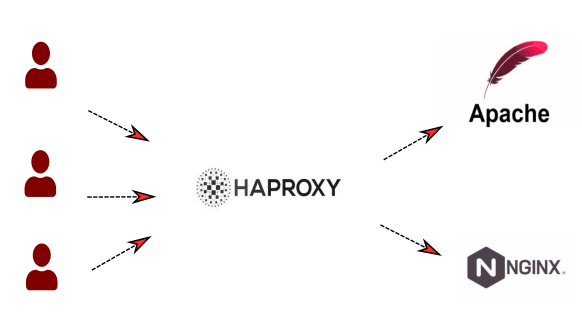
HaProxy distributes traffic between Apache and Nginx.
If you are technically curious, HaProxy listens on ports 80 and 443 of the server’s public IP and redirects traffic to these internal IPs:
127.0.0.2for Apache127.0.0.3for Nginx
You can find more information about HaProxy on its official website.
Advanced configuration: location of the configuration files
This section is only relevant if you need to manually modify a domain’s configuration (Vhost) via the console. If you don’t know what this means, you can safely skip it.
For domains added from the control panel, the corresponding Vhosts are created in the following locations:
/etc/apache2/ldap-enabledfor Apache/etc/nginx/ldap-enabledfor Nginx
Do not modify these files directly: since they are generated by the control panel, your changes could be lost the next time the domain is updated or edited. If you need to apply custom changes, copy the corresponding file to the sites-enabled folder:
/etc/apache2/sites-enabledfor Apache/etc/nginx/sites-enabledfor Nginx
Keep in mind that the files you manually copy to sites-enabled will not be deleted automatically if you delete the domain from the control panel; you will have to remove them manually.